
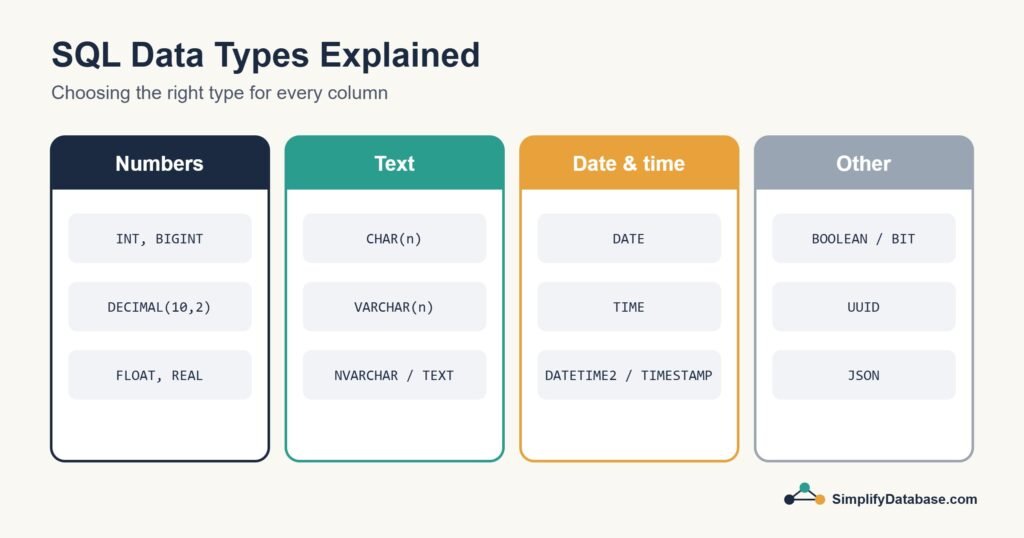
Every column in a database table has a data type. It tells the database what kind of value the column can hold: a whole number, money, a name, a date, true or false. It sounds like a small detail when you’re creating your first table, but the types you choose affect how much space your data takes, how fast your queries run, and whether your numbers are even correct.
In this guide I’ll go through the types you’ll actually use, show how they differ between SQL Server, MySQL and PostgreSQL, and share the choices I make in real projects.
Why Data Types Matter
- Correctness. A date column won’t accept “31st of Febtober”. A number column won’t accept “abc”. The database protects you from bad data.
- Accurate calculations. The wrong numeric type can give you money totals that are off by fractions of a cent.
- Storage and speed. Smaller types mean smaller tables and smaller indexes, which means faster queries.
- Sorting and comparing. Dates stored as text sort alphabetically, not by date. “10/01/2026” comes before “9/01/2026”.
Number Types
Whole numbers (integers)
| Type | Range (approx.) | Storage | Good for |
|---|---|---|---|
TINYINT | 0 to 255 in SQL Server, -128 to 127 in MySQL | 1 byte | Small codes, status values |
SMALLINT | -32,768 to 32,767 | 2 bytes | Years, small counts |
INT | About -2.1 billion to 2.1 billion | 4 bytes | Most ids and quantities |
BIGINT | About ±9.2 quintillion | 8 bytes | Very large tables, log ids, big counters |
INT is the right default for most id columns. Use BIGINT if a table could genuinely pass two billion rows, like event logs.
Exact decimals: DECIMAL / NUMERIC
DECIMAL(p, s) stores numbers exactly. p is the total number of digits and s is how many come after the decimal point. DECIMAL(10,2) holds values up to 99,999,999.99.
Use DECIMAL for money. Always. In Bahrain we work with three decimal places (fils), so for dinar amounts I use DECIMAL(12,3).
Approximate numbers: FLOAT and REAL
FLOAT and REAL store numbers in binary floating point. They’re fast and handle huge or tiny values, but they can’t represent many decimal fractions exactly:
-- SQL Server example
DECLARE @a FLOAT = 0.1, @b FLOAT = 0.2;
SELECT CASE WHEN @a + @b = 0.3 THEN 'equal' ELSE 'not equal' END;
-- Result: not equal
That’s fine for scientific measurements or sensor readings. It’s a disaster for invoices, where every fil has to add up. Keep FLOAT for measurements and DECIMAL for money.
Text Types
| Type | What it does | Example use |
|---|---|---|
CHAR(n) | Fixed length, padded with spaces | Codes that are always the same length, like CHAR(3) for currency codes (BHD, USD) |
VARCHAR(n) | Variable length, up to n characters | Names, emails, product titles |
NVARCHAR(n) (SQL Server) | Variable length Unicode text | Anything that may contain Arabic or other non-Latin characters |
TEXT / VARCHAR(MAX) | Long text | Descriptions, comments, article bodies |
A note on Arabic and other languages
This catches a lot of developers out in our region. In SQL Server, a plain VARCHAR column may turn Arabic text into question marks, depending on the collation. Use NVARCHAR for any column that might hold Arabic names or addresses, and put an N before the text in your queries:
CREATE TABLE customers (
    customer_id INT PRIMARY KEY,
    name_en     VARCHAR(100),
    name_ar     NVARCHAR(100)
);

INSERT INTO customers (customer_id, name_en, name_ar)
VALUES (1, 'Ahmed', N'أحمد');
In MySQL, use the utf8mb4 character set for your database and tables. In PostgreSQL, a UTF-8 database handles all languages with plain VARCHAR or TEXT.
How long should VARCHAR be?
Pick a sensible maximum based on the real data, not a random big number. VARCHAR(255) everywhere is a common habit, but limits also act as validation. A country code doesn’t need 255 characters.
Date and Time Types
| Need | SQL Server | MySQL | PostgreSQL |
|---|---|---|---|
| Date only | DATE | DATE | DATE |
| Time only | TIME | TIME | TIME |
| Date and time | DATETIME2 | DATETIME | TIMESTAMP |
| Date and time with time zone | DATETIMEOFFSET | TIMESTAMP (stored as UTC) | TIMESTAMPTZ |
A few practical tips:
- Never store dates as text. You lose correct sorting, date maths and validation.
- Use
DATEwhen the time doesn’t matter, like a birth date or an invoice date. - In SQL Server, prefer
DATETIME2over the olderDATETIME. It’s more precise and has a wider range. - If users are in different countries, store times in UTC and convert when you display them.
- Write date literals in the ISO format
'2026-10-05'. It works the same in every database and avoids day/month confusion.
Other Types You’ll Meet
| Need | SQL Server | MySQL | PostgreSQL |
|---|---|---|---|
| True / false | BIT | BOOLEAN (actually TINYINT(1)) | BOOLEAN |
| Unique identifier (GUID/UUID) | UNIQUEIDENTIFIER | CHAR(36) or BINARY(16) | UUID |
| JSON documents | NVARCHAR(MAX) with JSON functions (newer versions add a native JSON type) | JSON | JSON / JSONB |
| Files and binary data | VARBINARY(MAX) | BLOB | BYTEA |
A word on files: you can store images and PDFs in the database, but it usually makes backups huge. Most systems store the file on disk or in cloud storage and keep only the path in the database.
Choosing Types: My Quick Checklist
- Ids:
INT(orBIGINTfor huge tables) with auto-numbering. - Money:
DECIMALwith the right number of decimal places. NeverFLOAT. - Quantities and counts:
INT. - Names and short text:
VARCHARwith a sensible limit, orNVARCHARin SQL Server if any language other than English is possible. - Long text:
TEXTorVARCHAR(MAX). - Dates:
DATE. Date and time:DATETIME2/DATETIME/TIMESTAMP. - Yes/no flags:
BITorBOOLEAN. - Make sure a foreign key uses exactly the same type as the primary key it points to.
Changing a Type Later
You can change a column’s type with ALTER TABLE, but on a big table it can be slow, can lock the table, and can fail if existing data doesn’t fit the new type:
-- SQL Server
ALTER TABLE products ALTER COLUMN price DECIMAL(12,3) NOT NULL;

-- MySQL
ALTER TABLE products MODIFY price DECIMAL(12,3) NOT NULL;

-- PostgreSQL
ALTER TABLE products ALTER COLUMN price TYPE NUMERIC(12,3);
It’s much easier to spend five extra minutes choosing the right type when you create the table.
Conclusion
Data types decide what each column can hold, and good choices keep your data correct, compact and fast. Use integers for ids and counts, DECIMAL for money, Unicode text for names in any language, and real date types for dates.
Next time you write a CREATE TABLE, pause on each column and ask “what will actually go in here?”. And if you’re designing a full database, read our guide to normalization as well.