
If you’re about to build (or rebuild) a business system, one question comes first: which technology? For ERP-style software the usual candidates are Delphi, C# on .NET (WinForms or WPF), and a web app (Laravel, ASP.NET, Node.js and so on).
All three can build a good ERP. They just make different things easy. This article compares them fairly, shows the same small task in each, and ends with a simple way to choose. It’s part 2 of the Delphi for ERP series; part 1 explained why Delphi is still a great choice for ERP.
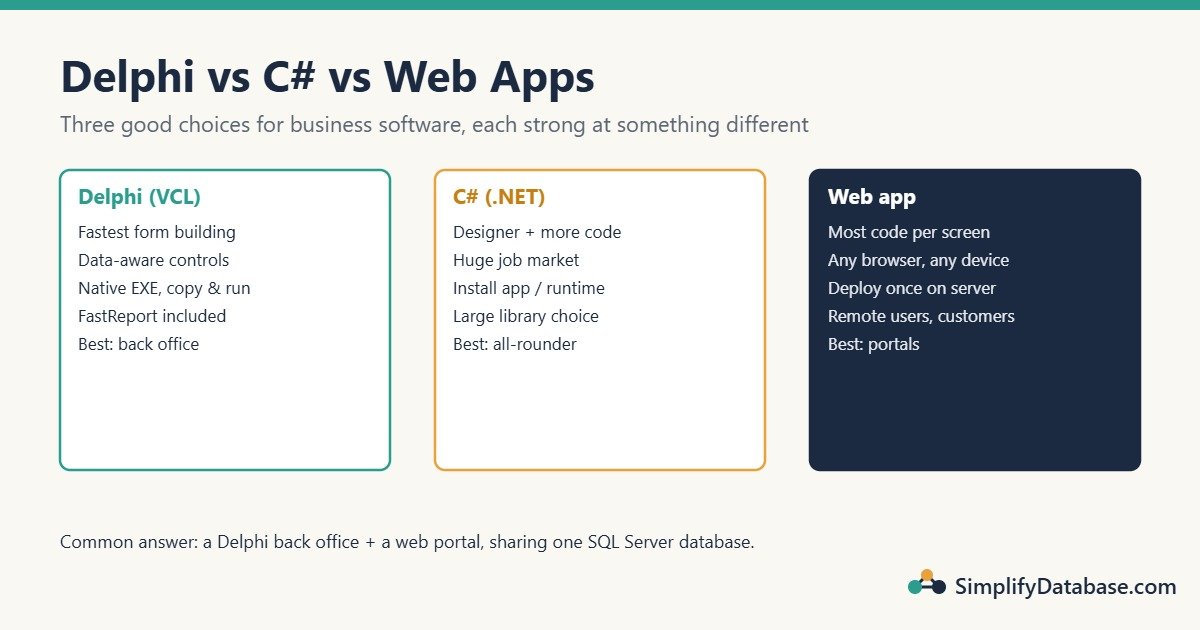
Table of Contents
The Short Answer
- Delphi: the fastest way to build many data entry screens for Windows desktop users, with very fast, easy-to-deploy apps. Best for back-office ERP, and the obvious choice if you already have a Delphi system.
- C# (.NET): a very good all-rounder with a huge job market and free tools for individuals and small teams. Desktop forms take a bit more code than Delphi for the same screen.
- Web app: runs in any browser with nothing installed on the PC, which is ideal for remote users, customers and mobile. Heavy data entry screens take the most work to make as fast and keyboard-friendly as a desktop app.
Side-by-Side Comparison
| Delphi (VCL) | C# (.NET WinForms/WPF) | Web app (Laravel, ASP.NET…) | |
|---|---|---|---|
| Building data entry forms | Very fast: visual designer plus data-aware controls | Fast: visual designer, data binding needs more code | Slowest: HTML, CSS and JavaScript for every screen |
| Database access | FireDAC/ADO, full control of SQL | ADO.NET, Dapper or Entity Framework | Query builder or ORM (Eloquent, EF Core) |
| Speed for users | Native code, very fast | Fast | Depends on network and server |
| Deployment | Copy one EXE | Install the app (and the .NET runtime unless it’s bundled) | Deploy to a server once; users only need a browser |
| Runs on | Windows (FireMonkey adds macOS, iOS, Android) | Windows for WinForms/WPF | Any device with a browser |
| Printing and reports | FastReport included in Professional+ | Third-party report tools, usually | Generate PDFs; browser printing is limited |
| Tool cost | Free Community Edition under US$5,000 revenue; paid editions otherwise | Visual Studio Community is free for individuals and small teams; larger companies pay | Mostly free and open source |
| Job market | Smaller, often long-running business systems | Very large | Very large |
| Learning curve | Easy language, quick first results | Moderate | Many parts to learn (HTML, CSS, JS, a framework, hosting) |
The Same Task in All Three
To make the comparison concrete, here’s one common ERP task: show the customer list in a grid.
Delphi
In the form designer you connect DBGrid1 → DataSource1 → FDQuery1 (just by setting properties). Then one line of SQL and one call:
FDQuery1.SQL.Text := 'SELECT CustomerID, CustomerName, City FROM dbo.Customers ORDER BY CustomerName';
FDQuery1.Open;
The grid fills itself. If you allow editing, the user can change a cell and FireDAC writes the change back to the table, with no extra code.
C# (WinForms)
using System.Data;
using Microsoft.Data.SqlClient;

var table = new DataTable();
using var conn = new SqlConnection(connectionString);
using var adapter = new SqlDataAdapter(
    "SELECT CustomerID, CustomerName, City FROM dbo.Customers ORDER BY CustomerName", conn);
adapter.Fill(table);
dataGridView1.DataSource = table;
Also short. Saving the user’s edits needs a bit more: a SqlCommandBuilder (or your own UPDATE commands) and a call to adapter.Update(table).
Web app (Laravel)
A route (or controller) that reads the data:
use Illuminate\Support\Facades\DB;

Route::get('/customers', function () {
    $customers = DB::table('customers')->orderBy('customer_name')->paginate(50);
    return view('customers.index', compact('customers'));
});
And a Blade view that draws the table:
<table>
  @foreach ($customers as $c)
    <tr><td>{{ $c->customer_name }}</td><td>{{ $c->city }}</td></tr>
  @endforeach
</table>
{{ $customers->links() }}
Displaying is easy. Editing in the grid (inline edit, save, validation messages, keyboard navigation) needs JavaScript or a grid library, plus routes to save each change.
What this shows: for read-only lists, all three are quick. The difference appears when you have hundreds of editable screens: Delphi’s data-aware controls do most of the editing work for you, while the other two need more code per screen.
Where Each One Wins
Delphi wins at…
- Back-office data entry. Accountants and store staff who type all day get fast, keyboard-friendly screens.
- Small teams with big systems. One or two developers can maintain a large ERP because so much is done in the designer.
- Existing systems. If the company already has a Delphi ERP, extending it is far cheaper than rewriting it.
C# wins at…
- Hiring. It’s easy to find C# developers.
- The wider Microsoft world. Azure, Office automation, and a huge set of NuGet libraries.
- Mixed projects. The same language can be used for desktop, web APIs (ASP.NET Core) and services.
Web apps win at…
- Access from anywhere. Remote staff, branches, customers and suppliers only need a browser.
- Central updates. You deploy once on the server; nobody installs anything.
- Mobile. A responsive web app works on phones without a separate app.
The Common Real-World Answer: Use Two
Many companies don’t pick only one. A typical setup is:
- A Delphi desktop app for the back office (accounting, inventory, purchasing), where speed of data entry matters most.
- A web portal (Laravel, ASP.NET) for customers, managers and remote staff: view statements, approve requests, check stock.
- One SQL Server database behind both, with the critical logic in stored procedures so both apps follow the same rules.
This plays to the strengths of each. Part 7 of this series shows how to call those shared stored procedures from Delphi.
How to Choose: 5 Questions
- Who are the users? Office staff at PCs → Delphi or C#. Customers, mobile or remote users → web.
- Do you already have a system? Extend what you have unless there’s a strong reason not to.
- Who will maintain it? Pick a technology your team (or the people you can hire) knows.
- How many screens? Hundreds of editable screens favour Delphi’s data-aware controls.
- What’s the budget? Count licences, but also developer time. Developer hours usually cost far more than tools.
Common Mistakes
- Choosing by fashion. “Everyone uses X” doesn’t mean X is best for a 300-screen accounting system.
- Rewriting a working system from scratch. Rewrites take years and lose hidden business rules. Improve and extend first.
- Putting all business rules in the front-end. If the rules live only in the Delphi forms, a web portal later can’t reuse them. Keep critical rules in the database (constraints, stored procedures).
- Ignoring deployment. A great app that is hard to install and update on 50 PCs becomes a support problem.
Summary
- Delphi builds data-heavy Windows screens fastest and deploys as a single native EXE.
- C# is a strong all-rounder with the biggest hiring pool.
- Web apps win for access from anywhere and for customers.
- Many real ERPs combine a Delphi back office with a web portal over one SQL Server database.
Next in the series: build a complete customer screen in Delphi in about 30 minutes.
Delphi for ERP series
All parts in order. New parts appear here as they go live.
New to Delphi? Start with What Is Delphi? Build Your First App.
Related articles
- Why Delphi Is Still a Great Choice for ERP and Business Apps: part 1 of this series.
- How to Show SQL Server Data in a Delphi DBGrid: the Delphi grid in more detail.
- MySQL Explained for Beginners: the database behind many Laravel apps.
- Microsoft SQL Server Explained for Beginners: the database most Delphi and C# business apps use.
- SQL Stored Procedures Explained Simply: share business rules between a desktop app and a web portal.