
Data analysts turn raw data into answers: which products sell, where customers drop off, whether this month is better than last. Almost all of that work starts with one skill: SQL.
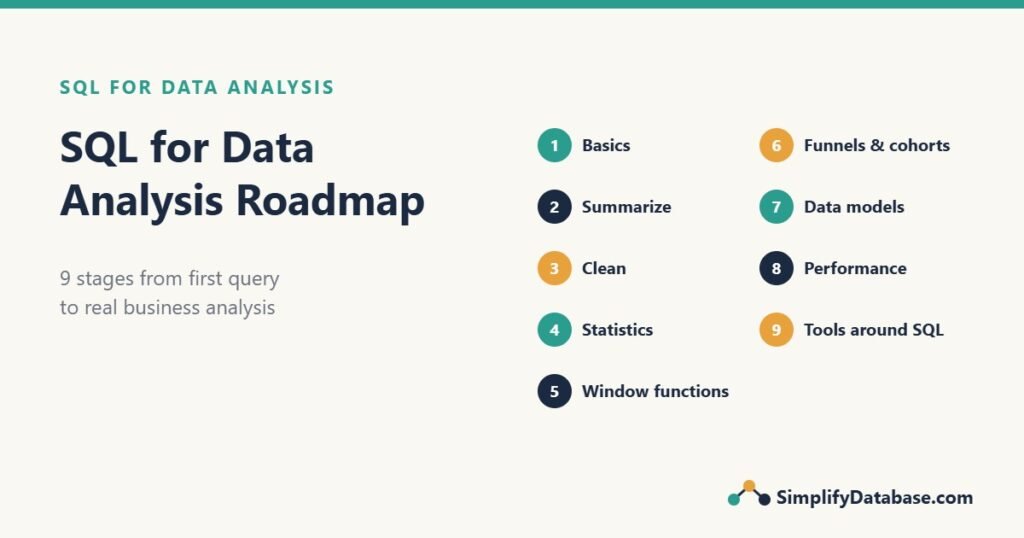
This roadmap shows what to learn, in what order, to use SQL for real data analysis. Each stage links to a free tutorial on this site and ends with a short “you’re ready when” check. Work through it in about 8 to 10 weeks at an hour a day.
What does a data analyst actually do with SQL?
A typical request sounds like this: “Why did online sales drop last month?” To answer it, an analyst:
- Finds the data: which tables hold orders, customers and website visits.
- Cleans it: removes duplicates, fixes dates, handles missing values.
- Summarizes it: totals, averages and medians by month, product or region.
- Compares: this month vs last month, mobile vs desktop, new vs returning customers.
- Explains: a short table or chart with a clear answer, like “Mobile checkout conversion fell from 30% to 12% after the app update.”
SQL handles steps 1 to 4. The stages below follow the same order.
Stage 1: SQL basics
Everything else builds on reading data from a table, filtering it, sorting it and combining tables.
- How to Learn SQL: A Step-by-Step Roadmap: the general SQL path, if you’re starting from zero.
- SQL WHERE, ORDER BY and LIMIT Explained Simply
- SQL LIKE, IN and BETWEEN Explained Simply
- SQL JOINs Explained Simply
- SQL SELF JOIN Explained Simply
- EXISTS vs IN vs JOIN in SQL (coming soon)
You’re ready when you can write a query that joins orders to customers, keeps only last month’s orders from one country, and sorts them by amount.
Stage 2: summarize data
Analysis is mostly summarizing. Learn to count, sum and average by group, and to filter groups.
- SQL GROUP BY and Aggregate Functions Explained Simply
- HAVING vs WHERE in SQL
- SQL DISTINCT and Column Aliases Explained Simply
- The SQL CASE Expression Explained Simply: count things conditionally, like
SUM(CASE WHEN status = 'Returned' THEN 1 ELSE 0 END).
You’re ready when you can produce “orders, revenue and average order value per month, per country”, and list only countries with more than 100 orders.
Stage 3: clean the data
Real data is messy, and wrong input gives confident wrong answers. Learn to find and fix the problems before you calculate anything.
- Data Cleaning in SQL: A Step-by-Step Guide: spaces, blanks, text numbers, mixed dates and duplicates.
- NULL in SQL Explained Simply: why missing values break counts and comparisons.
- SQL String Functions Explained Simply
- SQL Date Functions Explained Simply: every analysis has dates.
- SQL Data Types Explained Simply
You’re ready when you can take a messy imported table, profile it, and write one query that produces a clean, typed, de-duplicated version, plus a before-and-after count.
Stage 4: describe the numbers (statistics)
An average alone can mislead. Learn the handful of statistics every analyst uses, and how to get them in SQL.
- Basic Statistics in SQL: Average, Median, Percentiles and Standard Deviation: including outliers and simple histograms.
You’re ready when you can explain why the median order is 25 while the average is 112, and find the order that causes it.
Stage 5: window functions and reporting queries
This is the stage that separates beginners from analysts. Window functions let you compare each row with others: running totals, rankings, the previous month, the share of total.
- SQL Window Functions Explained Simply
- SQL Subqueries vs CTEs Explained Simply: write long queries in readable steps.
- Running Totals in SQL Server: cumulative sums, running balances, moving averages.
- Top N per Group in SQL Server: the latest order per customer, the top 3 products per category.
- Aging Report in SQL Server: group values into buckets and pivot them into columns.
You’re ready when you can show each month’s revenue next to the previous month’s, with the percentage change, in one query.
Stage 6: business analysis patterns
Now put it together into the analyses that companies ask for again and again.
- Funnel Analysis in SQL (coming soon): where users drop off between visit and purchase, and how it differs by device.
- Cohort and Retention Analysis in SQL (coming soon): do customers come back, and is it getting better?
Other patterns worth practicing with the same tools:
- Month-over-month growth:
LAGon a monthly summary. - Top customers and the 80/20 rule: running share of revenue with
SUM() OVER (ORDER BY revenue DESC). - Basket analysis: which products are bought together, with a self join on order lines.
- A/B test results: conversion rate per test group, using the same counts as a funnel.
You’re ready when you can take a question like “Are customers from our summer campaign worth more than others?” and turn it into cohorts, a query and a one-line answer.
Stage 7: understand where analysis data lives
You don’t need to become a data engineer, but you’ll work faster when you know why reporting data is shaped the way it is.
- OLTP vs OLAP Explained Simply: why reports run on a separate copy of the data.
- Star Schema vs Snowflake Schema: fact and dimension tables.
- ETL vs ELT Explained Simply: how data gets into the warehouse.
- Data Lakes vs Data Warehouses vs Data Lakehouses
You’re ready when you can look at a FactSales table and its dimensions and write a monthly sales-by-category report without help.
Stage 8: make queries fast enough
Analysis queries scan a lot of rows. A little performance knowledge saves you from waiting minutes for each answer, or from slowing down the live system for everyone else.
- SQL Indexes Explained Simply
- How to Read a SQL Server Execution Plan
- Index Seek vs Index Scan: why
WHERE YEAR(order_date) = 2026is slower than a date range.
You’re ready when you can explain why a query is slow and rewrite a filter so it can use an index.
Stage 9: the tools around SQL
SQL gets and shapes the data. Other tools present it or take it further:
- Excel: still the most common place results end up. See SQL vs Excel: What’s the Difference?
- Python and pandas: for statistics, charts and machine learning. See SQL vs Python (pandas) for Data Analysis (coming soon).
- BI tools such as Power BI, Tableau or Looker Studio: connect to your database and turn SQL views into dashboards.
- Data science: when you move from describing what happened to predicting what will happen. See A Beginner’s Guide to the Data Science Lifecycle.
An 8-week study plan
| Week | Focus | Practice |
|---|---|---|
| 1 | Stage 1: SELECT, WHERE, JOINs | 20 small queries on a sample database |
| 2 | Stage 2: GROUP BY, HAVING, CASE | Monthly sales summary by country |
| 3 | Stage 3: cleaning, NULLs, dates | Clean a messy CSV you download |
| 4 | Stage 4: statistics | Average vs median report with outliers |
| 5 | Stage 5: window functions, CTEs | Month-over-month growth, top 3 per group |
| 6 | Stage 6: funnel and cohorts | Build both on a sample events/orders table |
| 7 | Stages 7-8: warehouses and speed | Read execution plans of your slowest queries |
| 8 | Stage 9 + a project | One complete analysis, written up |
Free practice data is easy to find: Microsoft’s sample databases (AdventureWorks, WideWorldImporters) for SQL Server, the Sakila and Employees databases for MySQL, or any CSV from a public open-data portal loaded into a table.
Your first portfolio project
When you apply for analyst jobs, one finished project is worth more than ten certificates. A simple structure that works:
- A question: “Which customers stop buying, and when?”
- The data: a public sales dataset loaded into SQL Server or MySQL.
- The cleaning: the queries from Stage 3 and a note of what you fixed.
- The analysis: a cohort table, a funnel or a monthly trend, with the SQL.
- The answer: three findings in plain English and one chart.
Put the SQL and the write-up on GitHub or a simple blog. Interviewers will ask you about it, and you’ll have real answers.
Common mistakes on the way
- Jumping to Python or dashboards before SQL. Every one of those tools needs data, and the data comes out of SQL.
- Trusting the data without checking it. Always profile and clean first (Stage 3).
- Reporting only averages. Show medians and counts too, so one big order doesn’t tell the whole story.
- Writing one giant query. Use CTEs to build the analysis in small steps you can check one at a time.
- Not stating definitions. “Active customer”, “conversion” and “month” can each mean several things. Write down which one you used.
Summary
- SQL is the core skill of data analysis: finding, cleaning, summarizing and comparing data.
- Learn it in order: basics, summarizing, cleaning, statistics, window functions, business patterns, data models, performance, then the tools around SQL.
- Practice every stage on real data, and finish with one complete project.
- Add Python, Excel and BI tools on top of SQL, not instead of it.
The SQL for Data Analysis series
- Data Cleaning in SQL
- Basic Statistics in SQL
- Funnel Analysis in SQL (coming soon)
- Cohort and Retention Analysis in SQL (coming soon)
- SQL vs Python (pandas) for Data Analysis (coming soon)
- SQL for Data Analysis: A Step-by-Step Roadmap (this page)
Related articles
- How to Learn SQL: A Step-by-Step Roadmap for Beginners: the general SQL path, before you specialize in analysis.
- 25 SQL Interview Questions for Beginners: test yourself before an analyst interview.
- Big Data vs Data Science vs Data Analytics: how the three fields relate.